
Take on a client in the time it takes to paste a URL.
TrendSuite reads the client's own website and builds their brand profile: what they sell, who buys it, how they sound. Every client brand keeps its own profile, plans, media and connected accounts, and your team works across all of them from one workspace.
We set your workspace up with you. Pricing in full below.
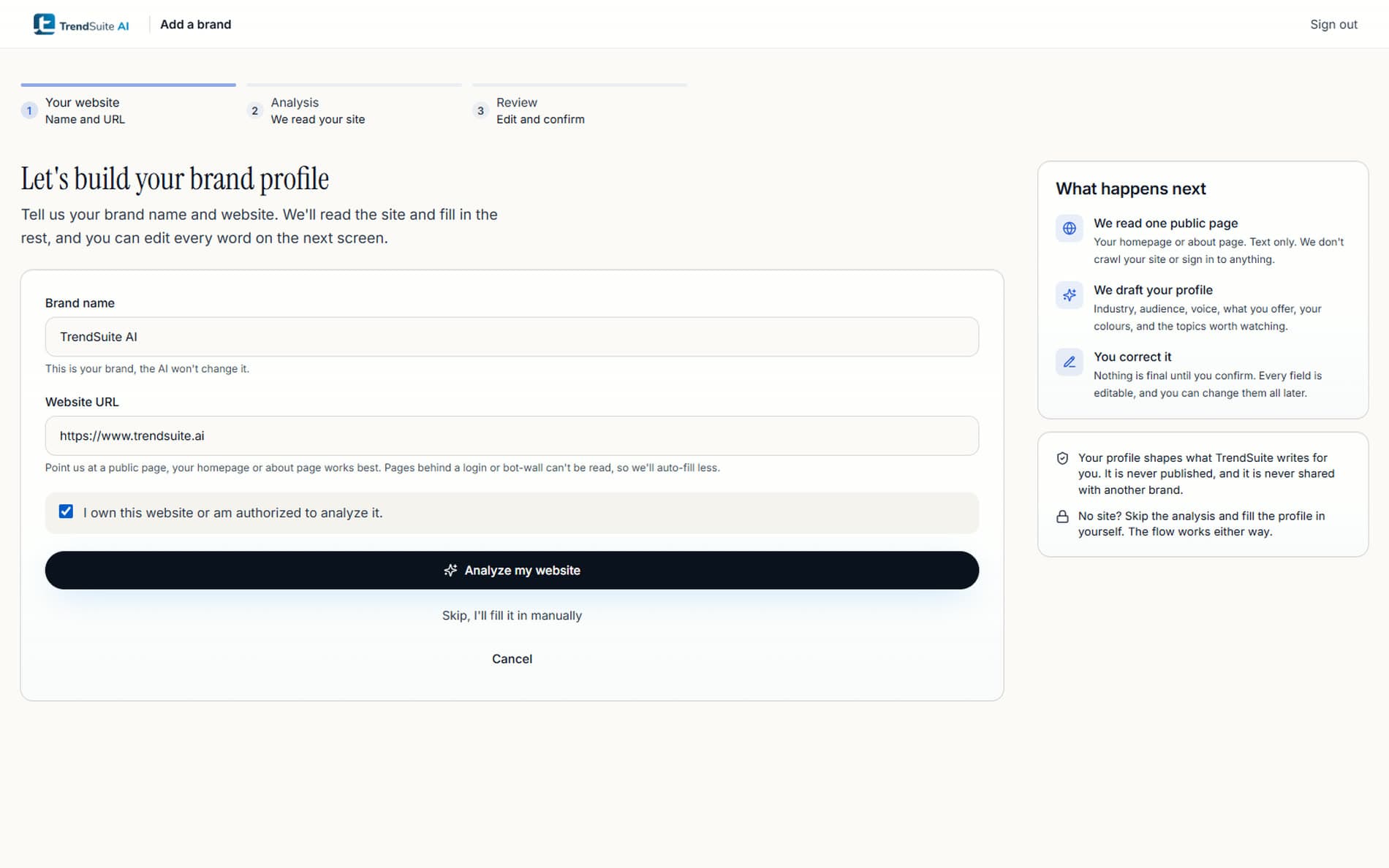
Adding a client should not mean starting over.
The work that does not scale is the work of re-explaining a brand. Every tool that asks you to describe a client in a text box asks you to do it again tomorrow.
The kickoff questionnaire
Every new client opens with a form nobody enjoys filling in, and the answers go stale the week after you file them.
A voice that drifts
A prompt written for one client gets reused for the next. The posts start to sound like your agency instead of like your client.
The switching tax
Moving between clients means reloading the offers, the audience and the things they never say. That reload happens dozens of times a day.
One URL in. A client's brand profile out.
Point TrendSuite at one public page of the client's site. It reads the copy, the colours, the fonts and the links, and hands you a filled-in profile to correct rather than a blank form to complete.
- The profile lands across 8 sections: identity, niche, audience, voice, what you offer, goals, visual identity and content signals.
- Every field is editable, and a field you have already written is never overwritten.
- No questionnaire, no sample posts to upload, no prompt to write.
- If a client's site sits behind a login, skip the analysis and fill the profile in yourself. The flow works either way.
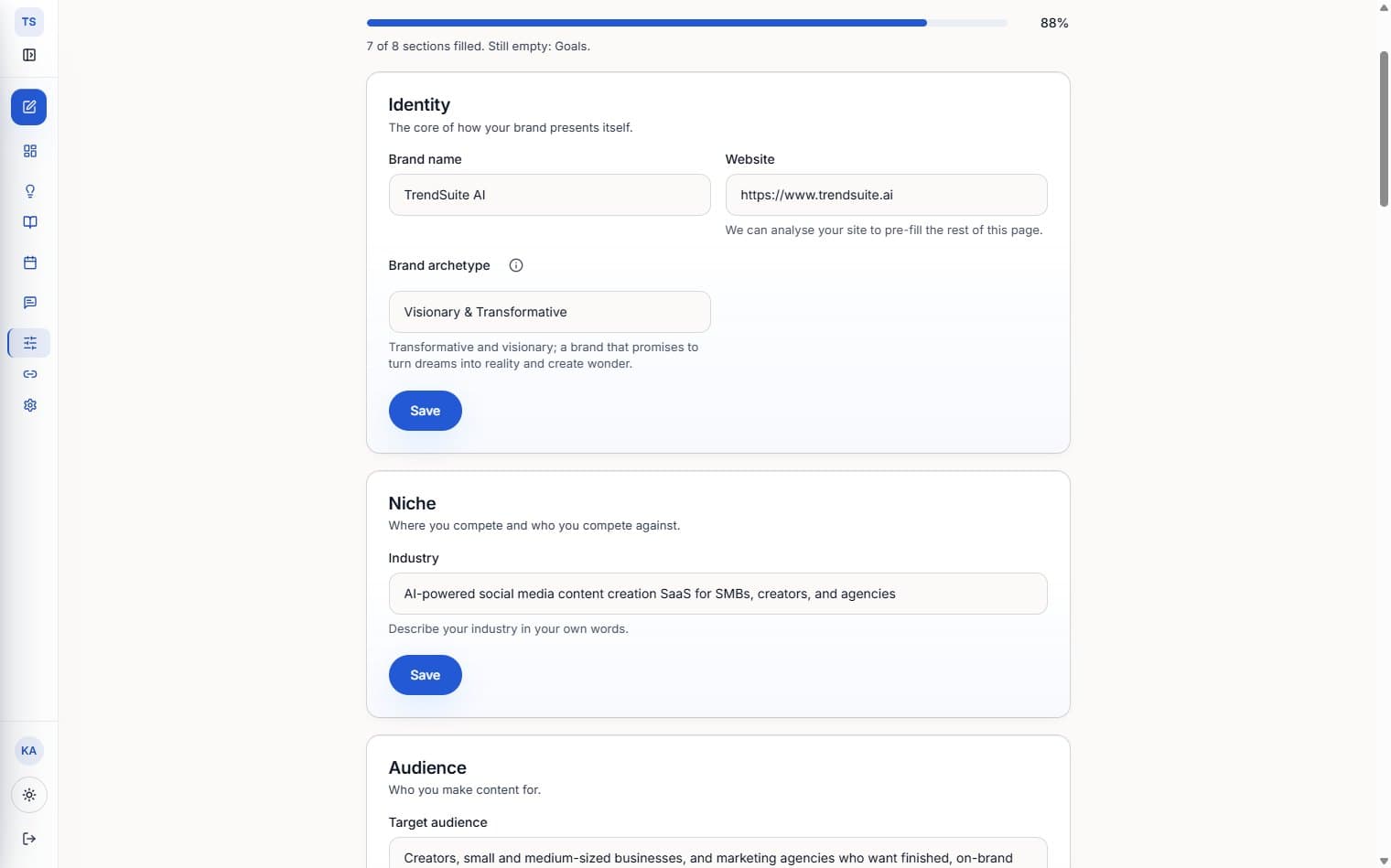
A workspace per client brand.
A brand is the boundary. Switching client is a switch at the top of the sidebar, and everything downstream follows it.
- Each brand carries its own profile and voice, so a post written for one never borrows the tone of another.
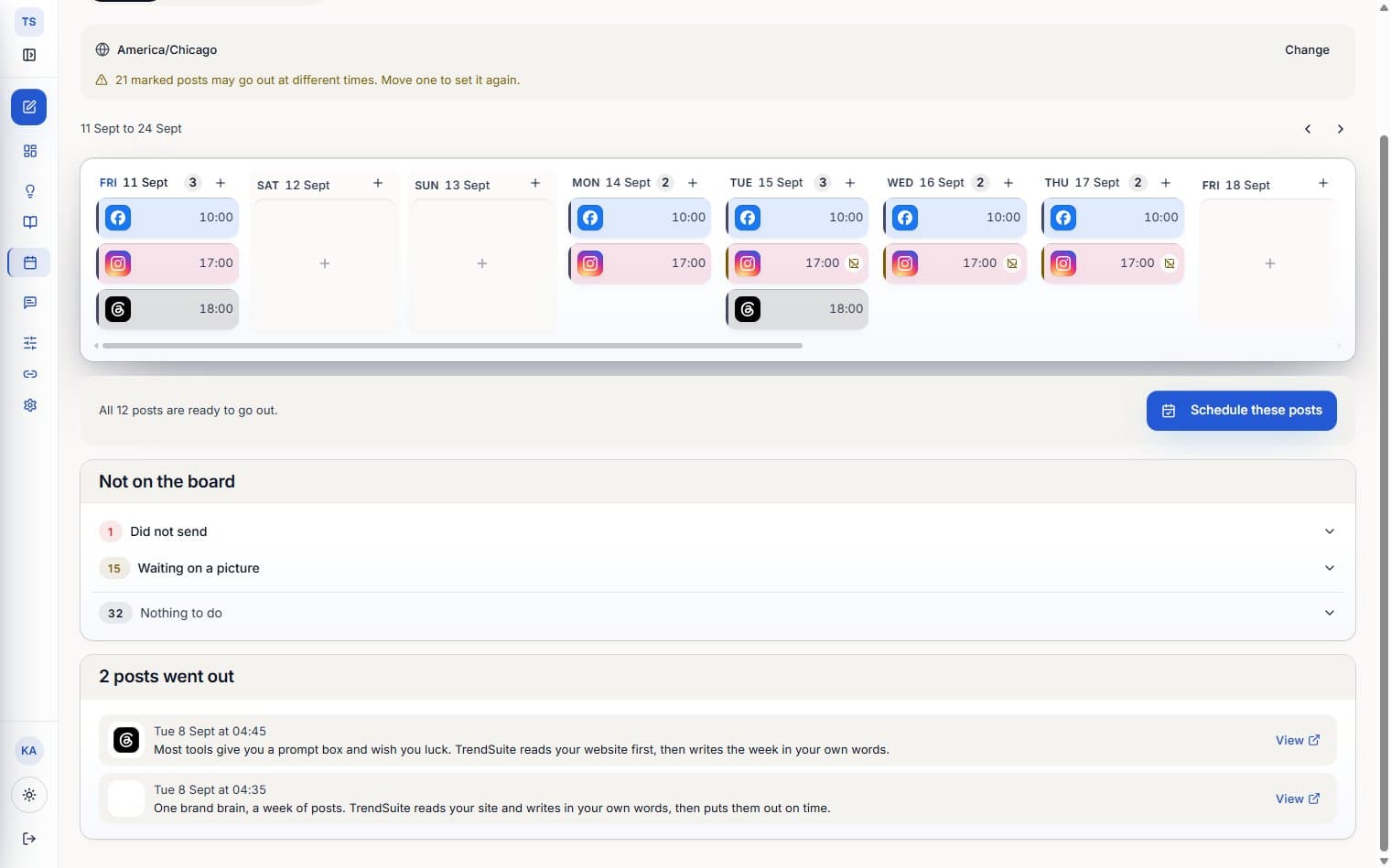
- Content plans, calendar, media library and connected social accounts are all held per brand.
- Content plans are one monthly pool for the workspace, so a busy client can draw on what a quieter one did not use.
- Finished with a client? Archive the brand. It is recoverable, and nothing is deleted underneath you.
One workspace, and the right permissions.
Invite the people who do the work, give each of them a role, and let the plan sit where it belongs: on the account, not on whoever happens to be logged in.
- Four roles: owner, admin, member and viewer. A viewer reads, a member works, an admin manages people.
- An admin can add and remove members and viewers, and cannot promote anyone to admin. Only the owner can do that.
- Invitations are sent by email and accepted through a link. The token is hashed at rest.
- Every teammate works on the owner's plan, so a seat holder is never quietly metered as a free account.
Workspace roles
- OwnerEverything, including billing and admins
- AdminManages members and viewers
- MemberCreates, edits and schedules
- ViewerReads only
Seat counts come with the plan. Extra seats are billed monthly at the rate on the pricing card below.
Take on a client, start to finish.
The same four moves for the first client and the fortieth.
- 01Step 1
Add the brand
Name the client and paste one public URL from their site.
- 02Step 2
Read the profile
Check the 8 profile sections it filled in and correct anything that is off.
- 03Step 3
Generate the work
A content plan turns into hooks, captions, carousels, posters, a script and a schedule.
- 04Step 4
Connect and schedule
Connect that client's accounts, then review every post before it goes out.
Built for a roster, not one account.
The comparison that matters to an agency is not how well a tool writes one post. It is what happens on the day you add the next client.
Setting up a client
TrendSuite:One URL. The site is read into a structured profile.
A general AI writing tool:A brief you write, and paste again next time.
Where a client's voice lives
TrendSuite:In that brand's profile, editable line by line.
A general AI writing tool:In a prompt, or in someone's head.
Switching client
TrendSuite:A switcher. Plans, media and accounts follow the brand.
A general AI writing tool:A new chat, and the context typed out again.
Keeping clients apart
TrendSuite:Brand-scoped rows, plus a role check on every request.
A general AI writing tool:Whatever you remember to keep in separate files.
Your team
TrendSuite:Seats with roles, all on the account's plan.
A general AI writing tool:One login, shared around.
Getting it posted
TrendSuite:Scheduled per platform, and published where the integration is live.
A general AI writing tool:Copy, paste, and post it yourself.
Every client stays in their own lane.
One workspace is a convenience for you. It must never be a convenience for a bug. Client separation is enforced twice, in two different places, so neither one is the only thing standing between two of your clients.
- In the database
- Brand-scoped tables carry row-level security policies. A row is readable only by the brand's owner, a member of that account, or someone with an explicit grant on that brand.
- In every request
- API routes check the caller's role on the brand before they read or write anything, and fail closed if the check itself errors. That guard runs on the write path, where most of the product actually lives.
- Publishing tokens are encrypted at rest, and OAuth refresh runs on its own.
- Team invitation tokens and client link tokens are hashed, never stored in the clear.
- A client's connected accounts are only ever visible from inside that client's brand.
create or replace function public.user_can_access_brand(p_brand_id uuid)
returns boolean
language sql security definer stable as $$
  select exists (
    select 1
      from public.brands b
      left join public.brand_members bm
        on bm.brand_id = b.id and bm.user_id = auth.uid()
     where b.id = p_brand_id
       and ( b.owner_user_id = auth.uid()
          or bm.user_id is not null
          or exists (
               select 1 from public.account_members am
                where am.account_owner_id = b.owner_user_id
                  and am.member_user_id = auth.uid()
                  and am.status = 'active' ) ) );
$$;One plan, shaped to your roster.
Multi-brand, team seats and the agency layer on one flat subscription, billed once for the workspace rather than once per client. Need more brands, more seats or a contract of your own? Enterprise is the conversation.
Paid plans renew automatically each billing period until you cancel. Cancel anytime in Settings → Billing. No card required to start. Your work is saved.
Run multiple client brands from one workspace.
Talk to us- Everything in Team, plus:
- 20 content plans a month per brand, 15 brands
- Client approvals
- Priority support
- 15 brands · 20 seats (+$49/seat/mo · ~$60/brand)
For teams of 10+ with procurement, security, and billing requirements.
Contact sales- Everything in Agency at custom volume: unlimited brands & seats
- Custom MSA, procurement & security-questionnaire support
- DPA & GDPR documentation
- Invoice & PO billing
- White-glove onboarding, migration & team training
- Direct line to the founding team, and real input on the roadmap
Questions, before you take on a client.
How other people run this.
Three pieces written for the same job, from the setup decisions down to the weekly routine.
- Guide
How to run TrendSuite as an agency
Isolated brand workspaces, role permissions, and how to design a setup that still holds up once the roster grows.
Read the guide - Playbook
The agency content playbook
A repeatable delivery system across many client brands: keeping voices apart, approvals clean, and output consistent.
Read the playbook - Article
Producing content for a full roster
Standardise the parts that are the same for every client, and isolate the parts that have to stay different.
Read the article
Your clients' content, handled.
Bring us the roster. We set the workspace up with you, move the first client brand across together, and you take it from there.
Agency pricing is on this page, in full. Setup is done with you.